

Search “plumber near me” or “best coffee shop downtown” and the first thing you see is not a website. It is a map, three business names, a star rating, and a phone number. That box is the Local Pack, and getting into it is what most small business owners actually mean when they say they want to “rank on Google.”
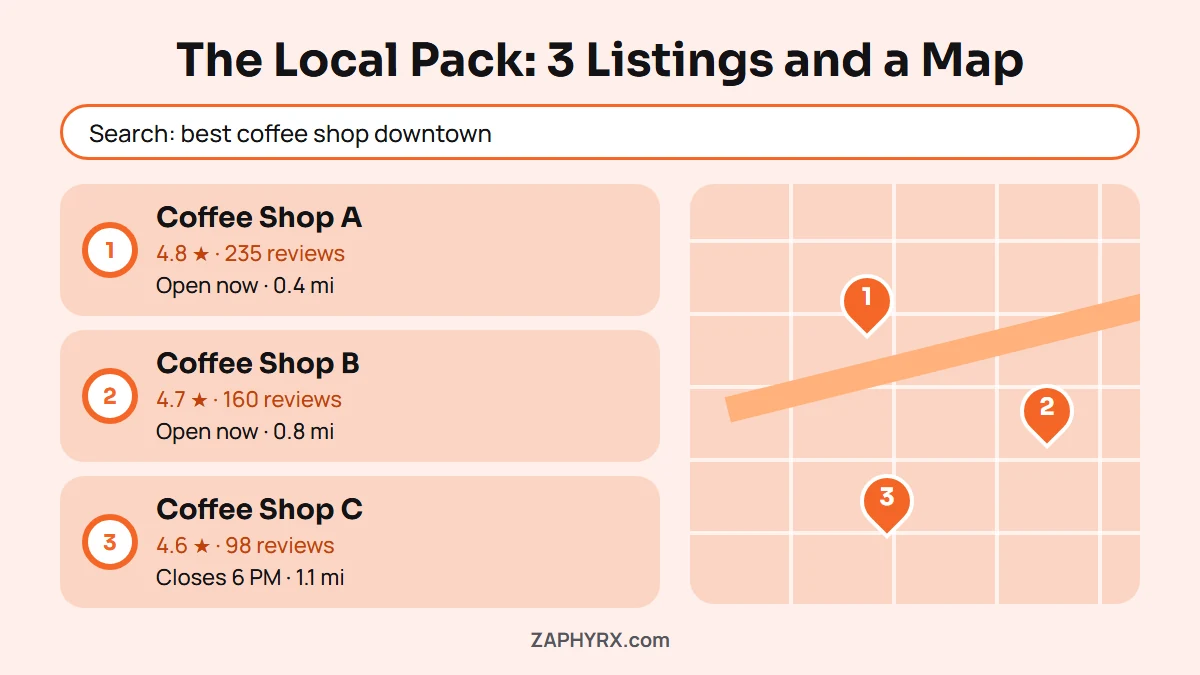
If your business is not showing up there, one of the biggest factors is your Google Business Profile optimization is not up-to-the-mark. A well-optimized profile helps Google understand what you offer, where you’re located, and why your business deserves to appear in local search results. In many cases, it has a bigger impact on local visibility than publishing another blog post or tweaking your website.
In this guide, you’ll learn how to optimize your Google Business Profile for better local SEO, understand the ranking factors that matter most, and follow a practical checklist you can start using today.
What Google Business Profile Optimization Means
Google Business Profile optimization is the process of filling out, structuring, and maintaining your listing so Google understands exactly what your business does, where it operates, and whether people trust it. That includes your category, your description, your photos, your hours, your reviews, and how often you post updates.
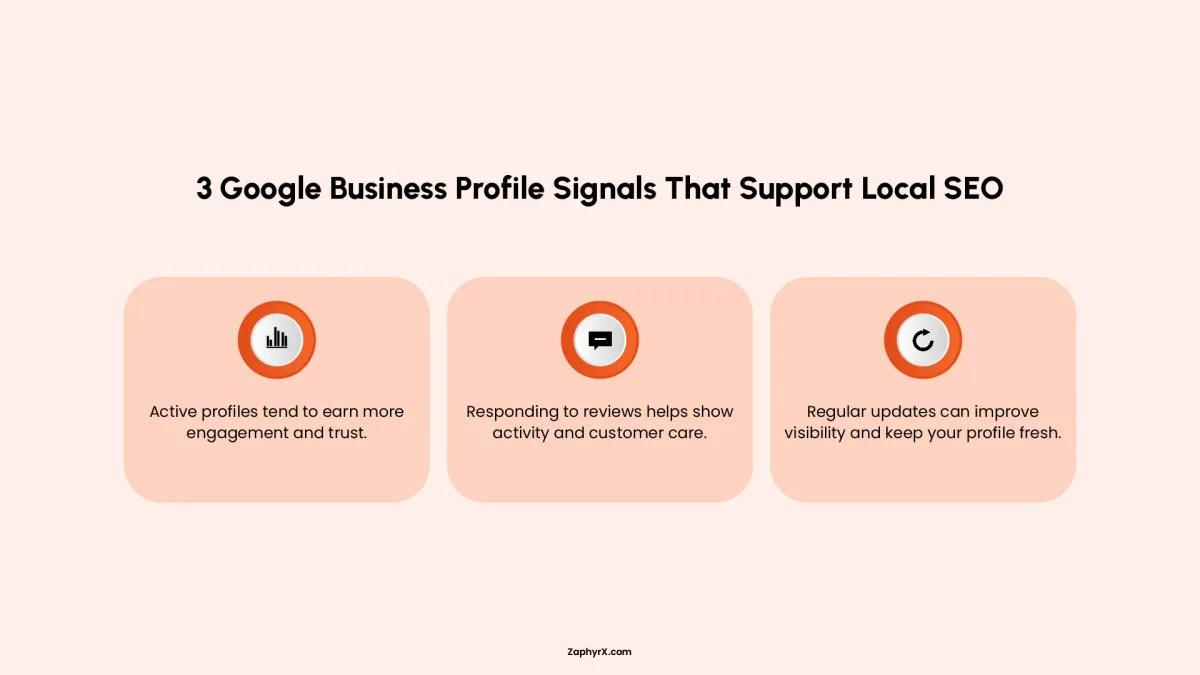
A lot of business owners set up their profile once, add an address and a phone number, and never touch it again. That used to be enough. It is not anymore. Google now treats an unmanaged, unchanged profile as a weak signal. A profile that gets updated, photographed, and responded to looks like a real, active business. A profile that sits untouched for months looks like one that might not even be open.
Why Google Business Profile Optimization Matters for Local SEO
When someone searches for a local service, Google wants to show the businesses most likely to solve that person’s problem. Your Google Business Profile helps Google determine whether your business is a good match.
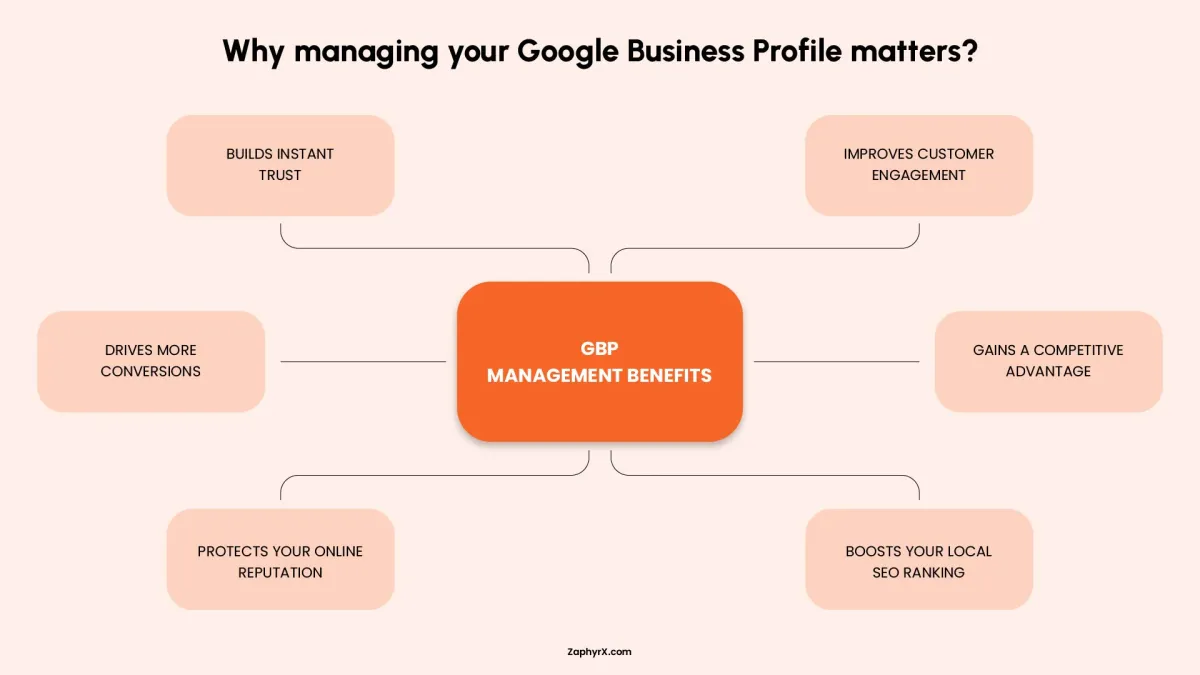
A complete, well-maintained profile does more than help you appear on Google Maps. It can improve your chances of showing up in the Local Pack, increase calls, direction requests, and website visits, while building trust before a customer even visits your site.
Most people compare ratings, read reviews, check photos, confirm business hours, and browse services before choosing a local business. If your profile is incomplete or outdated, they’re more likely to choose a competitor.
Google also uses your profile to understand what your business does, where you operate, and how relevant you are to a user’s search. While optimization alone won’t guarantee top rankings, it strengthens the local signals that influence visibility.
If you are weighing whether to handle this yourself or bring in Google Business Profile optimization services, the honest answer depends on how much time you have and how competitive your market is.
The Core Ranking Criteria Google Uses For Local Ranking
Google doesn’t rank local businesses at random. Every time someone searches for a nearby product or service, Google’s algorithm evaluates hundreds of signals to decide which businesses deserve a spot in the Local Pack and on Google Maps.
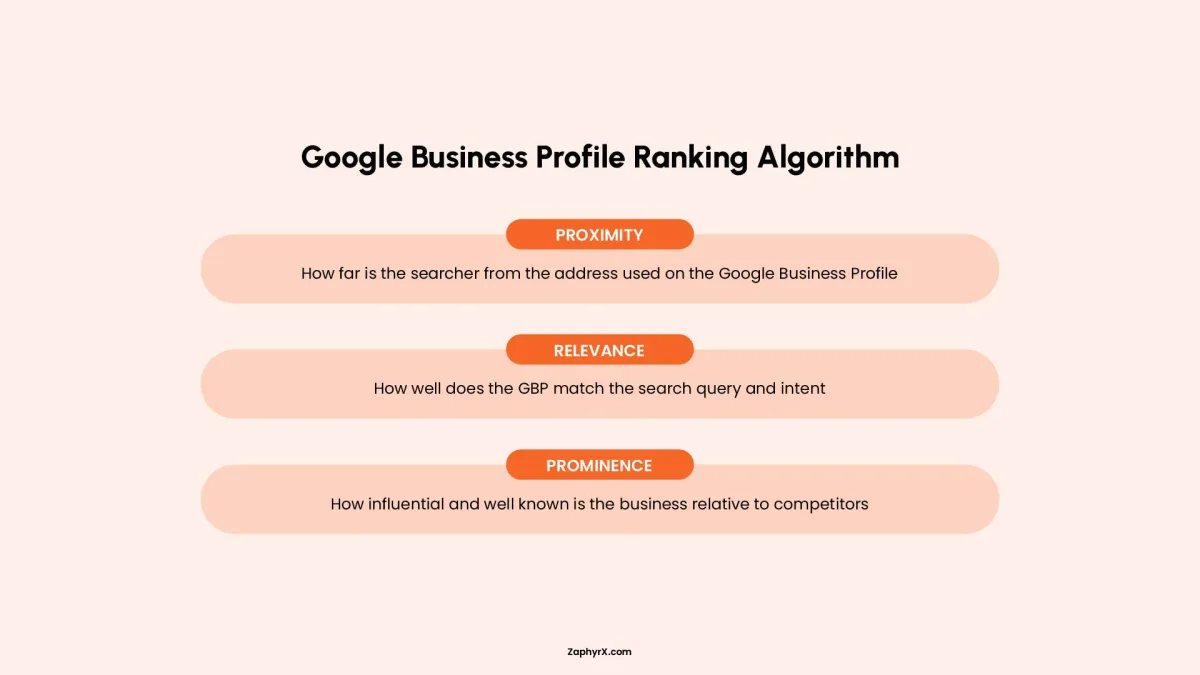
While there are many factors involved, Google has publicly confirmed that local rankings are primarily based on three core criteria: relevance, distance, and prominence. Understanding these factors makes it much easier to optimize your Google Business Profile with purpose.
Relevance (How Well Your Business Matches the Search)
Relevance is all about whether your business is a good fit for what someone is searching for. Google looks at the information in your Google Business Profile to understand exactly what products or services you offer.
This is why it’s important to complete every section of your profile. Your primary category, secondary categories, business description, services, products, and attributes all help Google connect your business to relevant local searches.
For example, a plumbing company that clearly lists emergency plumbing, drain cleaning, and water heater repair is more likely to appear for those specific searches than a profile with only basic information.
Distance (How Close You Are to the Searcher)
Distance is exactly what it sounds like. Google considers how close your business is to the person performing the search or to the location included in the search query.
If someone searches for “coffee shop near me,” Google uses the searcher’s location to find nearby businesses. If they search for “coffee shop in downtown Chicago,” Google uses that specified location instead.
You can’t optimize your way into being physically closer to every customer, but you can make sure your business address or service area is accurate so Google knows where you operate.
Prominence (How Well-Known and Trusted Your Business Is)
Prominence measures how established and trustworthy your business appears both online and offline.
Google looks at signals such as customer reviews, ratings, review frequency, local citations, backlinks, business information across the web, and even how often people interact with your profile. Businesses with a strong reputation and consistent online presence generally have a better chance of earning higher local rankings.
This doesn’t mean the business with the most reviews always wins. Google also considers review quality, freshness, and the overall credibility of your business.
Google Business Profile Optimization Checklist
This is where everything becomes practical. The ranking factors matter, but real improvement comes from applying them step by step inside your Google Business Profile. Think of this section as the core setup process that directly affects your visibility in Google Search and Google Maps.
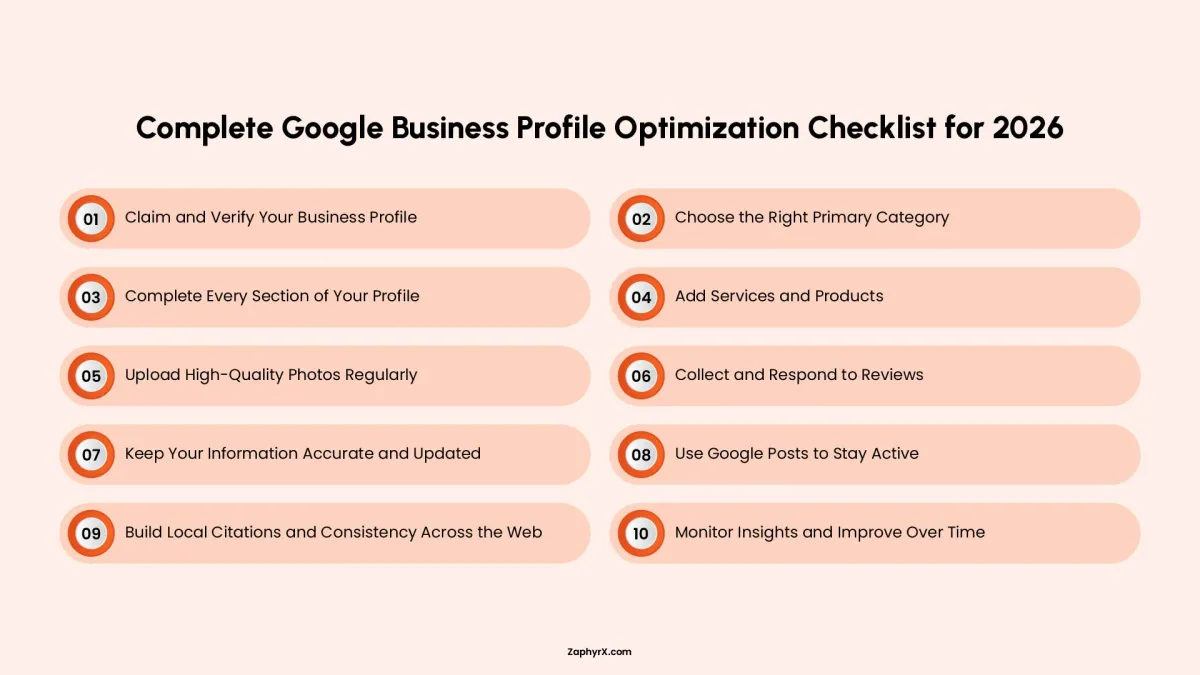
1. Claim and Verify Your Business Profile
Before you can optimize anything, you need full ownership of your profile. If your business is unverified, Google limits what you can control and how often you appear in local results.
Verification confirms that your business is real and located where you say it is. Depending on your business type, Google may verify you through a postcard, phone call, email, or video recording of your location.
Once verified, you gain full editing access, meaning you can update your information, respond to reviews, upload photos, and manage how your business appears across Search and Maps. Without this step, everything else is limited or ineffective.
2. Choose the Right Primary Category
Your primary category is one of the strongest ranking signals in your entire profile. It tells Google exactly what kind of business you are.
The mistake many businesses make is choosing something too broad or slightly off-target. But Google doesn’t “guess”, it matches searches based on category precision.
For example:
- “Plumber” is better than “Home Services”
- “Coffee Shop” is better than “Cafe” if your main focus is coffee
- “Law Firm” is better than just “Consultant”
You can also add secondary categories to expand visibility, but your primary category should always reflect your core service, not secondary offerings.
3. Complete Every Section of Your Profile
An incomplete profile weakens both ranking potential and customer trust. Google prefers businesses that provide complete, structured information because it reduces uncertainty.
Make sure every core field is filled accurately:
- Business name (must match real-world branding exactly)
- Address or service area (depending on business model)
- Phone number (must be active and consistent)
- Website URL
- Business hours (including holidays and special schedules)
Your business description is especially important. This is where you clearly explain what you do, who you serve, and where you operate. The key is to write it naturally. Google understands context, so you don’t need to overload it with keywords.
4. Add Services and Products (Don’t Skip This)
This section is one of the most underused opportunities in Google Business Profile optimization.
Services help Google understand the specific searches your business should appear for. Instead of just saying “plumbing services,” break it down:
- Emergency plumbing
- Drain cleaning
- Leak detection
- Water heater repair
Each service adds another entry point for local search visibility.
If you sell products, the product section works similarly. It gives Google more structured data and also makes your profile more visually appealing in search results. Businesses that fully utilize this section often stand out more in the Local Pack because they simply provide more useful information.
5. Upload High-Quality Photos Regularly
Photos play a much bigger role than most people realize. They don’t just make your profile look better… they influence trust, engagement, and user behavior, which indirectly affects rankings.
Google wants to see authentic activity, not stock images. The best-performing profiles usually include:
- Real storefront or workspace images
- Team members at work
- Before-and-after results (for service businesses)
- Actual products or food items
Consistency matters too. A business that uploads new photos regularly signals that it is active, operational, and engaged with customers.
6. Collect and Respond to Reviews
Reviews are one of the most powerful local ranking signals, but the real value comes from consistency and credibility, not just volume.
A strong review strategy includes:
- Asking customers shortly after service delivery
- Making it easy (direct link or QR code)
- Encouraging detailed feedback, not just ratings
- Maintaining steady review growth over time
Just as important is how you respond. Replies show both Google and customers that you are active and engaged. A simple thank-you for positive reviews and a calm, professional response to negative ones can significantly improve trust signals.
7. Keep Your Information Accurate and Updated
Google prioritizes accuracy because it directly affects user experience. Even small inconsistencies can reduce trust in your listing.
Your business details should always match across:
- Google Business Profile
- Website
- Social media pages
- Local directories
You should also keep an eye on:
- Holiday hours
- Temporary closures
- Relocations or service area changes
Businesses that maintain accurate, updated information tend to perform better because Google can confidently show them to users without risking incorrect data.
8. Use Google Posts to Stay Active
Google Posts act like mini-updates that appear directly on your business profile. While they are not the strongest ranking factor, they contribute to engagement and freshness signals.
You can use posts to share:
- Special offers or discounts
- Service updates
- Events or announcements
- Seasonal promotions
The key benefit is visibility. When users see recent activity, they are more likely to trust your business and click through. It also signals to Google that your profile is being actively managed.
9. Build Local Citations and Consistency Across the Web
Google cross-references your business information across the web to confirm legitimacy. This is known as citation consistency.
Your Name, Address, and Phone number (NAP) should match exactly everywhere your business appears.
Inconsistencies like “Street vs St.” or different phone numbers can confuse search engines and weaken your authority signals.
The more consistent your business appears across trusted directories, the more confident Google becomes in ranking your profile.
10. Monitor Insights and Improve Over Time
Optimization doesn’t stop after setup. Google Business Profile provides insights that show how real users interact with your listing.
You should regularly review:
- Search terms people use to find you
- Calls, website clicks, and direction requests
- Profile views and engagement trends
These insights reveal what is working and what needs improvement. For example, if you’re getting views but few calls, your profile may need stronger photos, better reviews, or improved service clarity.
Common Google Business Profile Ranking Factors (Myths vs Reality)
A lot of people try to improve their Google Business Profile rankings by following advice they pick up from YouTube, Facebook groups, or random blogs. The problem is most of this advice is either incomplete or based on outdated behavior patterns. It leads business owners to focus on things that either do very little or sometimes create risk.
One of the biggest misunderstandings is how ranking actually works. Google does not reward tricks. It rewards consistency, clarity, and real-world business signals.
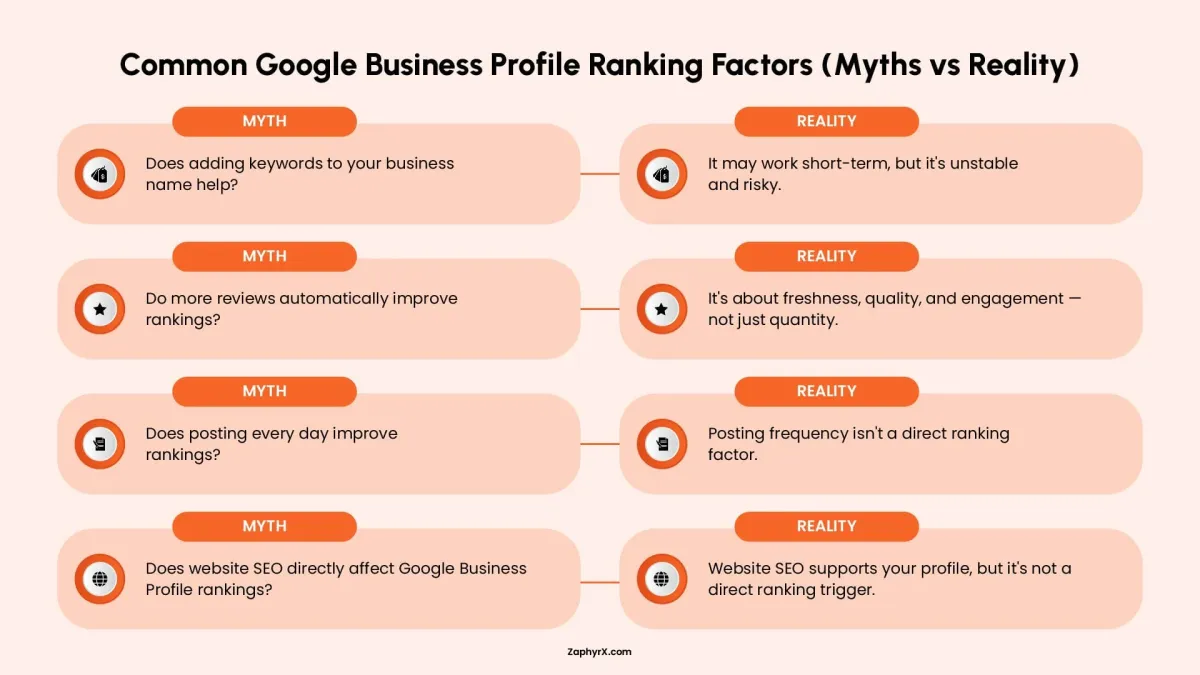
Let’s break down a few common myths:
Does adding keywords to your business name help
This is probably the most abused tactic in local SEO. You will see businesses naming themselves things like “Best Plumber Virginia Emergency Services” or similar variations. Sometimes these listings do rank, which makes others assume this is a strategy.
What is actually happening is short-term visibility based on keyword matching in the name field. But Google’s system is designed to correct this over time. If the name does not match real-world branding or documentation, it can be edited by Google or reported and suspended.
So while it may look like it works, it is unstable. Businesses that rely on this usually lose rankings later or get removed completely. A real business name builds long-term trust, and that trust is what keeps rankings stable.
Do more reviews automatically improve rankings
This is another area where people misunderstand how Google evaluates trust.
More reviews alone do not guarantee higher rankings. Google is not just counting total numbers. It is reading patterns like how recent reviews are, how detailed they are, and whether they look natural.
For example, a business with 300 reviews but no new activity for a year can look inactive. Another business with 50 recent reviews over the last few months can appear more trustworthy because it shows ongoing customer interaction.
Google also looks at review quality. A review that explains the service experience in detail carries more weight than short generic reviews like “good service” or “nice work.”
Responses also matter. A business that replies to reviews shows engagement, which strengthens trust signals. So reviews are not just about quantity. They are about freshness, consistency, and interaction over time.
Does posting every day improve rankings
A lot of business owners think Google rewards activity in the form of posting frequency, so they start posting daily updates, offers, or random text just to “stay active.” This usually comes from the idea that more activity equals better rankings.
In reality, Google does not treat posting frequency as a direct ranking factor. Posting is not a switch that pushes your profile higher just because it happens more often. What matters is whether the content adds any useful context about your business.
A post that explains a real service, a recent job, a seasonal offer, or a genuine update can help strengthen relevance and engagement. But repeated low effort posts like generic announcements do not add much value. In some cases, they can even reduce engagement because users start ignoring them.
Does website SEO directly affect Google Business Profile rankings
Website SEO and Google Business Profile SEO are connected, but not in a direct cause and effect way. Many people assume that improving website rankings automatically improves map rankings, but that is not how it works.
What actually happens is Google uses your website as a supporting trust source. It checks whether your website matches your business profile, whether your services are clearly explained, and whether your business looks legitimate across both platforms.
For example, if your Google Business Profile says you are a roofing company but your website is unclear, outdated, or unrelated, it creates uncertainty. That weakens your overall trust profile. On the other hand, if your website clearly shows services, locations, contact details, and real work examples, it reinforces your business identity.
So website SEO does not directly push your Google Business Profile higher, but it strengthens the signals that support it. It works more like background validation rather than a ranking trigger.
Google Business Profile Suspension Risks
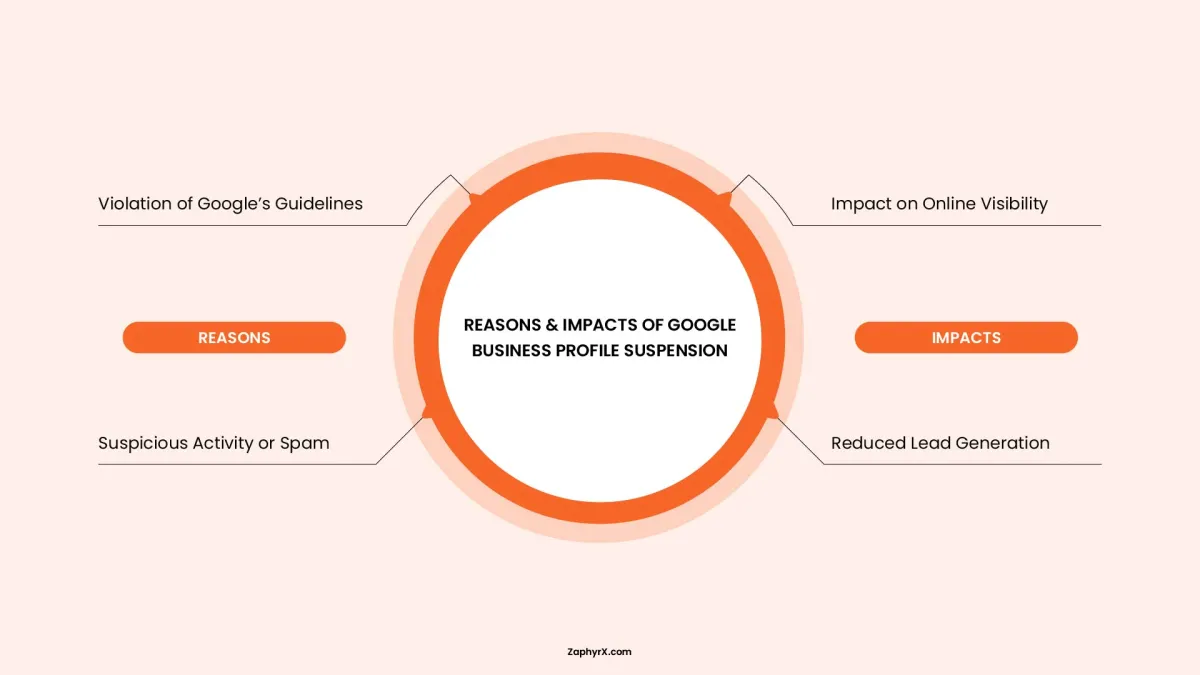
Suspensions happen when Google’s system detects something that does not look consistent or trustworthy. It is important to understand that most suspensions are triggered by automated checks that look for patterns.
Google tries to verify whether a business is real, correctly represented, and operating from a legitimate setup. When something looks off, the system pauses the profile until it is reviewed.
Common triggers include business details that do not match across platforms, addresses that cannot be verified, or names that include promotional wording. Even if the business itself is real, inconsistency in information can still cause issues.
The key idea here is trust. Google is constantly comparing your profile with other signals on the internet. If those signals do not align, the profile becomes unstable.
Common mistakes that lead to suspension
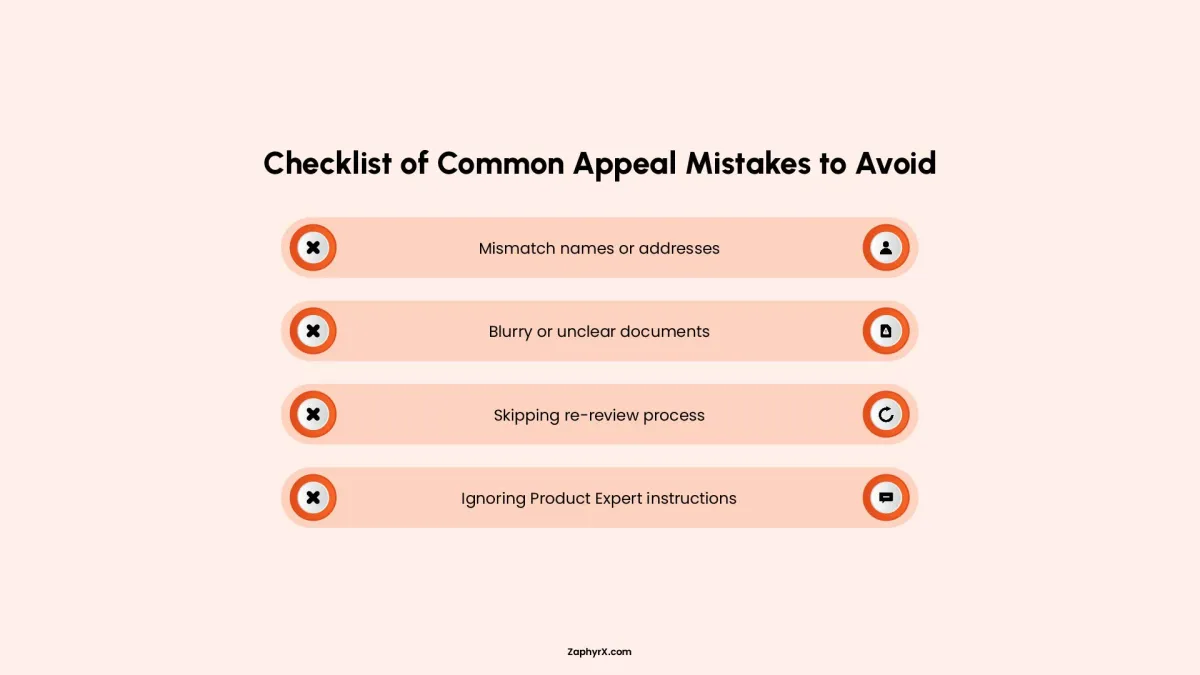
Most suspensions are caused by avoidable mistakes rather than complex violations. One of the most common is using an address that does not represent an actual business location. This often happens when service businesses try to appear in multiple areas using virtual offices or shared spaces.
Another frequent issue is modifying the business name to include keywords. While it may help visibility in the short term, it violates guidelines and is one of the fastest ways to get flagged.
Inconsistent updates can also cause problems. If a business keeps changing categories, addresses, or core details too often, Google may treat it as unreliable. Even small inconsistencies between your website and your Google Business Profile can contribute to risk.
These mistakes usually come from trying to optimize too aggressively without understanding how sensitive the system is.
How to recover a suspended profile
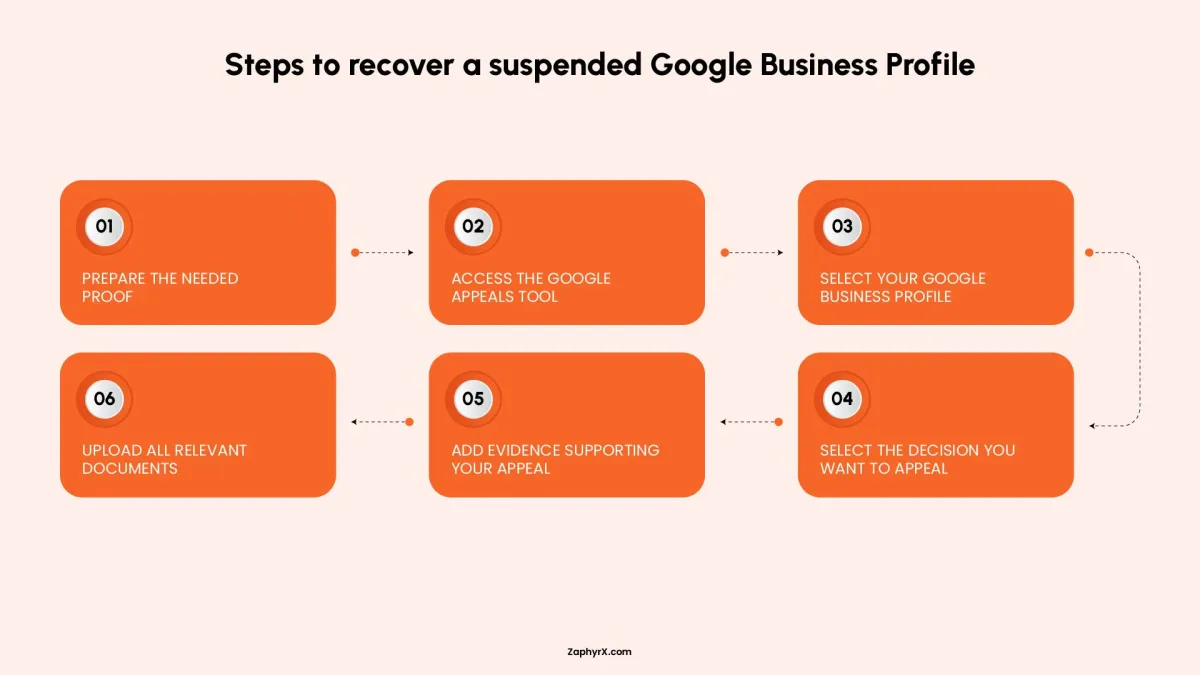
Recovery is possible, but it depends on how clean your information is after correction. The process usually starts with identifying the reason for suspension. This is not always clearly stated, so you often have to review recent changes you made.
Once the issue is fixed, you submit a reinstatement request. In many cases, Google may ask for proof that your business is real. This can include business registration documents, utility bills, or photos of your physical location.
Sometimes video verification is required, where you show your workspace, signage, or tools depending on your business type.
Recovery is not instant. It can take days or weeks. The key factor is consistency. The cleaner and more realistic your corrected profile is, the higher the chance of reinstatement.
Common Google Business Profile Mistakes That Hurt Rankings
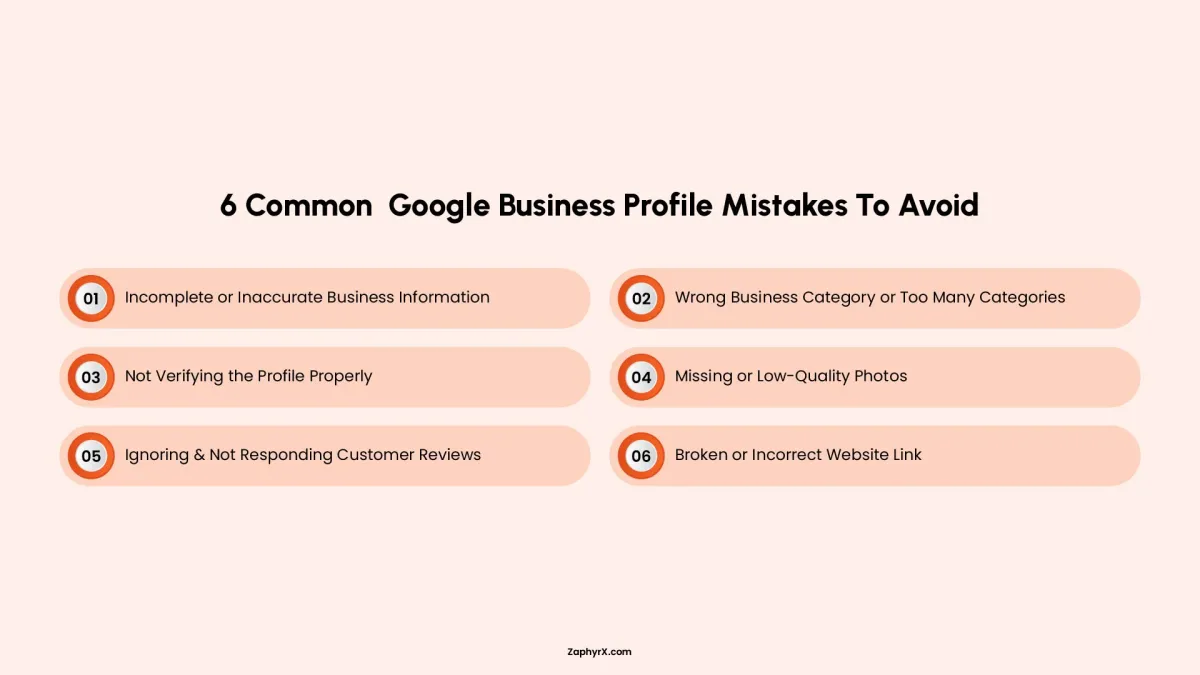
1. Incomplete or Inaccurate Business Information
One of the biggest mistakes businesses make is leaving their Google Business Profile incomplete or outdated. When important details like your business name, address, phone number, or opening hours are missing or incorrect, it creates confusion for customers and reduces trust. It can also hurt your visibility in search results because Google prioritizes accurate and reliable information. Keeping everything updated ensures customers can find and contact you easily without any issues.
2. Wrong Business Category or Too Many Categories
Choosing the wrong category or adding too many categories can seriously affect how your business appears in search results. Your primary category tells Google what your business is mainly about, so if it’s incorrect, you may show up for the wrong searches or miss your ideal audience completely. Adding unnecessary secondary categories can also confuse the algorithm. The best approach is to pick one accurate primary category and only a few highly relevant secondary ones.
3. Not Verifying the Profile Properly
Failing to properly verify your Google Business Profile is a major issue because unverified listings don’t have full credibility or control. Verification proves to Google that your business is legitimate and gives you full access to manage your profile. Without it, your listing may not perform well in search results, and you could miss out on important features like updates, insights, and customer engagement tools.
4. Missing or Low-Quality Photos
Photos play a huge role in how customers perceive your business online. A profile with no images or poor-quality photos often looks untrustworthy or incomplete. Since visuals are usually the first thing people notice, they strongly influence whether someone clicks on your listing or moves on to a competitor. High-quality, real images of your storefront, products, services, or team help build confidence and increase engagement.
5. Ignoring Customer Reviews
Ignoring customer reviews is a missed opportunity to build trust and improve your reputation. Reviews are not just feedback; they also influence how your business ranks on Google. When you don’t respond, it can make your business seem disconnected or unresponsive. On the other hand, replying to both positive and negative reviews shows professionalism, builds credibility, and can even turn unhappy customers into loyal ones.
6. Broken or Incorrect Website Link
A broken or incorrect website link can instantly cost you potential customers. If someone clicks on your profile expecting to learn more or make a purchase but lands on the wrong page or an error screen, they are likely to leave immediately. This not only affects conversions but also damages trust in your business. Regularly checking and updating your website link ensures a smooth experience and helps turn interest into real action.
When Should You Hire a Google Business Profile Optimization Service?
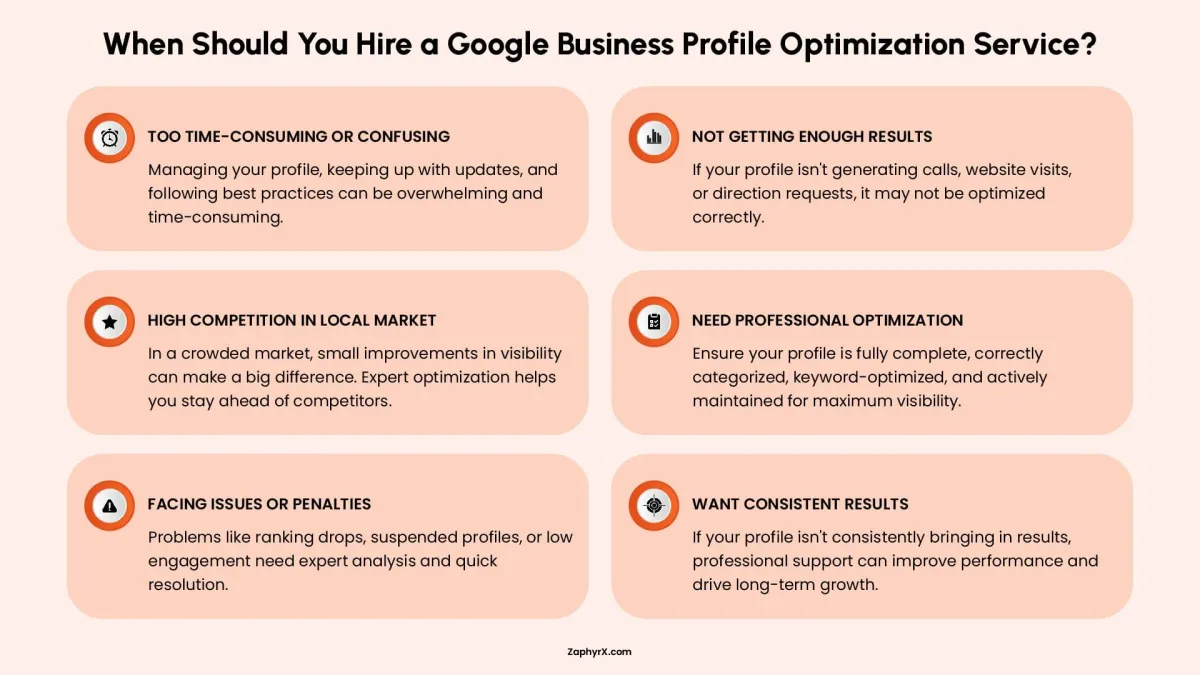
You should consider hiring a Google Business Profile optimization service when managing your listing starts to feel confusing, time-consuming, or inconsistent. Many businesses struggle to keep up with constant updates, algorithm changes, and best practices, which can lead to missed opportunities in local search.
If your profile is not generating enough calls, website visits, or direction requests despite your efforts, that’s often a sign something is not properly optimized. It’s also a smart move if you are competing in a crowded local market where small improvements in visibility can make a big difference. Professional optimization ensures your profile is fully complete, correctly categorized, keyword-optimized, and actively maintained.
Additionally, if you’ve experienced issues like ranking drops, suspended profiles, or poor engagement, expert help can quickly identify and fix the underlying problems. In short, if your Google Business Profile is not consistently bringing results, getting professional support can save time and significantly improve performance.
Ready to Improve Your Google Presence?
If your Google Business Profile is not bringing results or feels hard to manage, ZAPHYRX can help you fix and improve it. We set it up properly, make sure it shows up in the right searches, and structure it so customers are more likely to call, visit, or reach out.
Frequently Asked Questions
Yes. Google Business Profile remains one of the strongest drivers of local visibility, especially for “near me” searches. Even with changes in SEO trends, the Local Pack and Google Maps results continue to heavily influence how customers discover and choose local businesses.
This usually happens due to weak relevance signals, incomplete profile details, incorrect categories, or low engagement activity. In some cases, proximity or competition in your area can also limit visibility, even if your profile is properly set up.
Google looks for consistency and real-world signals. A profile feels more trustworthy when business information matches across the web, reviews are steady and authentic, photos are real (not stock images), and the profile shows regular updates and customer interaction.
Frequent updates are not a problem as long as they are meaningful and accurate. However, constant changes to core details like name, category, or address can create trust issues and may trigger instability in rankings or even verification checks.
The most common mistake is treating the profile as a one-time setup. Many businesses stop updating it after verification, which leads to outdated information, weak engagement signals, and lost ranking opportunities over time.