


When it comes to building a website, many businesses end up having the same discussion.
Should it be built on WordPress, or should everything be custom coded?
It sounds like an easy decision at first. A custom-built website gives you complete control, so it must be the better option, right?
Not always.
A lot of businesses spend time and money building things they never actually need. Meanwhile, others choose the quickest solution available and later discover that it cannot support the way their business operates.
WordPress has been around for years, and there is a reason so many businesses still use it. It is reliable, affordable, and can handle far more than most people expect.
At the same time, some projects simply outgrow what a content management system is designed to do. When that happens, custom website development starts to make a lot more sense.
Before choosing either option, it is worth understanding what each approach does well, where it falls short, and what it means for your business in the long run.
Key Takeaways Before You Read
- WordPress powers 41.9% of all websites globally (as of June 2026) and is used by 59.4% of websites with a known content management system. It works well for small to medium businesses that need content management without heavy developer dependency.
- Custom development gives you more freedom, but it also comes with higher costs and greater responsibility for ongoing maintenance.
- A well optimized WordPress site can load in under 2 seconds and score 75 to 95 on mobile PageSpeed, which is fast enough for most business needs.
- Choose custom development only when you have specific technical requirements that WordPress genuinely cannot handle, such as real time features, complex user dashboards, or traffic exceeding 500,000 monthly visitors.
- The real cost difference between the two approaches is not the initial build. It is the ongoing maintenance, content update workflow, and total cost of ownership over 3 to 5 years.
What Exactly Are We Comparing?
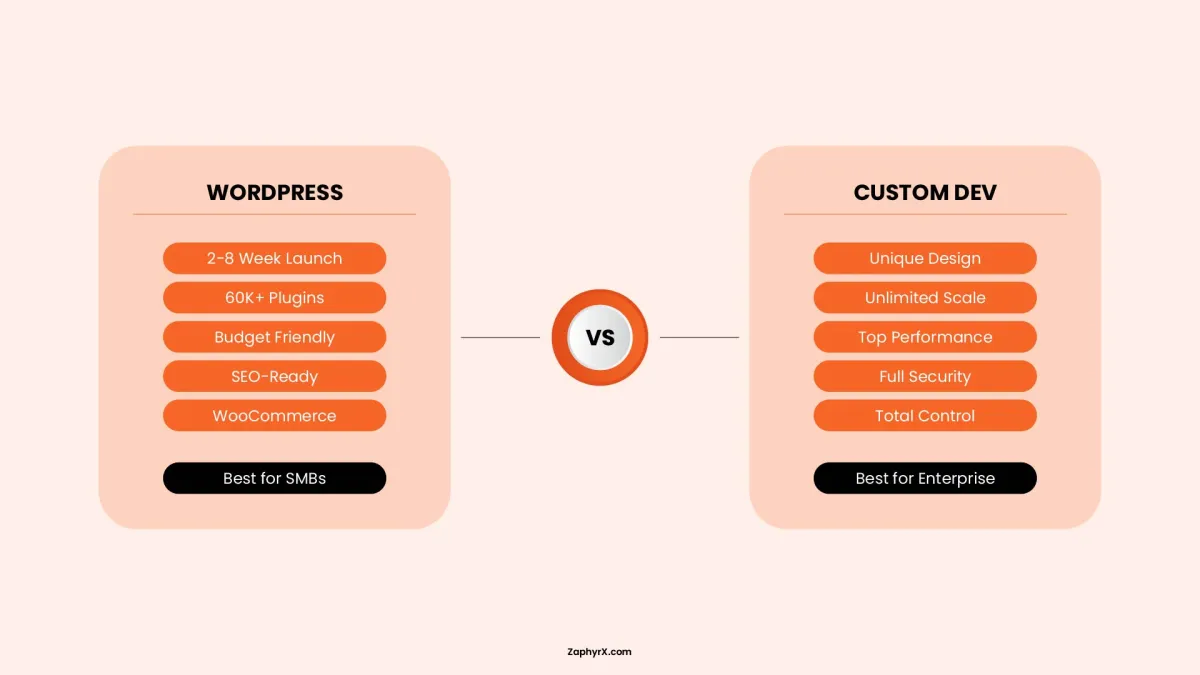
Before we dig into the WordPress vs custom development debate, we need to be clear about what each option actually means.
WordPress is a content management system that started as a blogging platform and grew into the most popular website builder on the planet. It powers nearly half of all websites on the internet. When people say they are using WordPress, they usually mean the self hosted version from WordPress.org, not the simplified WordPress.com service.
- Custom development means building a website from scratch using programming languages and frameworks. A developer writes every line of code specifically for your business needs. Common technology choices include PHP with Laravel, JavaScript with React or Node.js, and databases like MySQL.
WordPress vs Custom Development: Quick Comparison Table
- Color palettes and visual hierarchy
- Typography and iconography
- Buttons, forms, sliders, and navigation components
- Micro-interactions and smooth animations
- Responsive layouts across devices
- Design systems and style guides
Goal of UI Design: Create an aesthetically pleasing, polished, and intuitive interface that builds instant trust and delight.
| Factor | WordPress | Custom Development |
|---|---|---|
|
Launch Time |
Fast (2–6 weeks) |
Slower (6–16 weeks) |
|
Upfront Cost |
$500–$8,000 |
$5,000–$30,000+ |
|
Monthly Cost |
$30–$150/mo (hosting + maintenance) |
$150–$500/mo |
|
3-Year TCO |
Lower initial, higher ongoing (plugin licenses, security, performance) |
Higher initial, lower ongoing (no license fees) |
|
Page Load Speed |
Moderate (60–80 PageSpeed, 2–8s typical) c |
Excellent (90–100 PageSpeed, 0.3–1.5s) |
|
Security |
High vulnerability surface (plugins/themes/core require regular updates) |
Minimal attack surface; no common exploit patterns |
|
Customization |
Plugin-dependent; theme-constrained unless custom-coded |
Unlimited; pixel-perfect design implementation |
|
Scalability |
Limited without specialized optimization |
High; built to scale from the start |
|
Maintenance |
Regular plugin/theme updates; high overhead |
Structured DevOps; moderate managed maintenance |
|
Design Flexibility |
Theme-based; may need customization for unique look |
Completely personalized; unique tailored UX |
|
Third-Party Integration |
Plugin-dependent; compatibility issues common |
Any API integration; no compatibility constraints |
|
Marketing Autonomy |
High (easy for non-developers to edit content) |
Low (typically needs developer for changes) |
|
Developer Availability |
Extremely high |
Moderate |
|
Best For |
Small to medium businesses, blogs, content sites, quick launches |
Enterprise apps, unique functionality, high-performance needs, complex integrations |
|
Market Share |
41.9% of all websites (June 2026) |
N/A |
Cost and Initial Investment
Money is usually the first question people ask. But the upfront price is not the full story. You need to look at the total cost of ownership over three to five years. That includes not only the initial build, but also future website redesign costs, because most websites need a visual refresh or structural upgrade every few years to stay competitive.
WordPress Costs
A basic WordPress site can start very cheap. You pay for a domain name and hosting. Many hosting companies offer plans starting around ten to thirty dollars per month. The WordPress software itself is free.
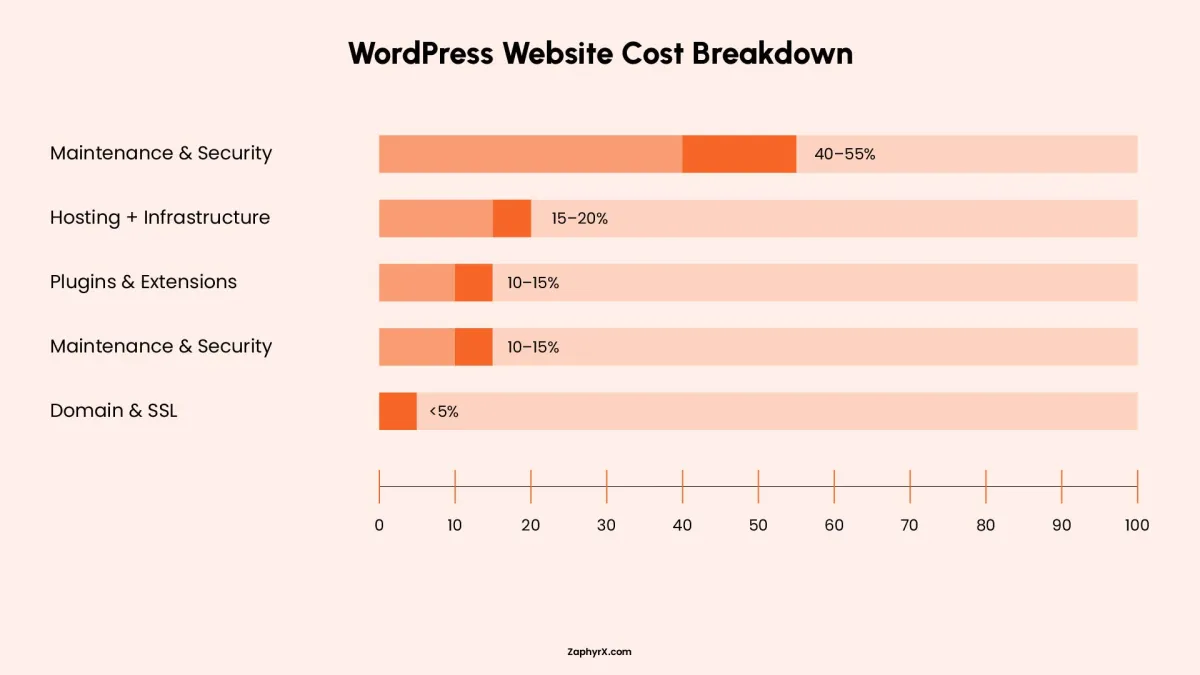
But at some point, most businesses need premium plugins for things like SEO, security, backup, forms, and ecommerce. A single premium plugin might cost fifty to two hundred dollars per year. If you need five or six of them, that adds up fast.
Then you have maintenance. WordPress requires updates to the core software, plugins, and themes. If you do not do these updates, your site becomes a security risk. Many businesses pay a monthly maintenance fee of fifty to three hundred dollars to a developer who handles this for them.
Over three years, a WordPress site with moderate plugin needs and professional maintenance often ends up costing between five thousand and fifteen thousand dollars.
Custom Development Costs
Custom development has a much higher upfront price. A professional custom website built with Laravel, React, or Node.js usually starts around twenty thousand dollars and can easily go above one hundred thousand dollars for complex projects.
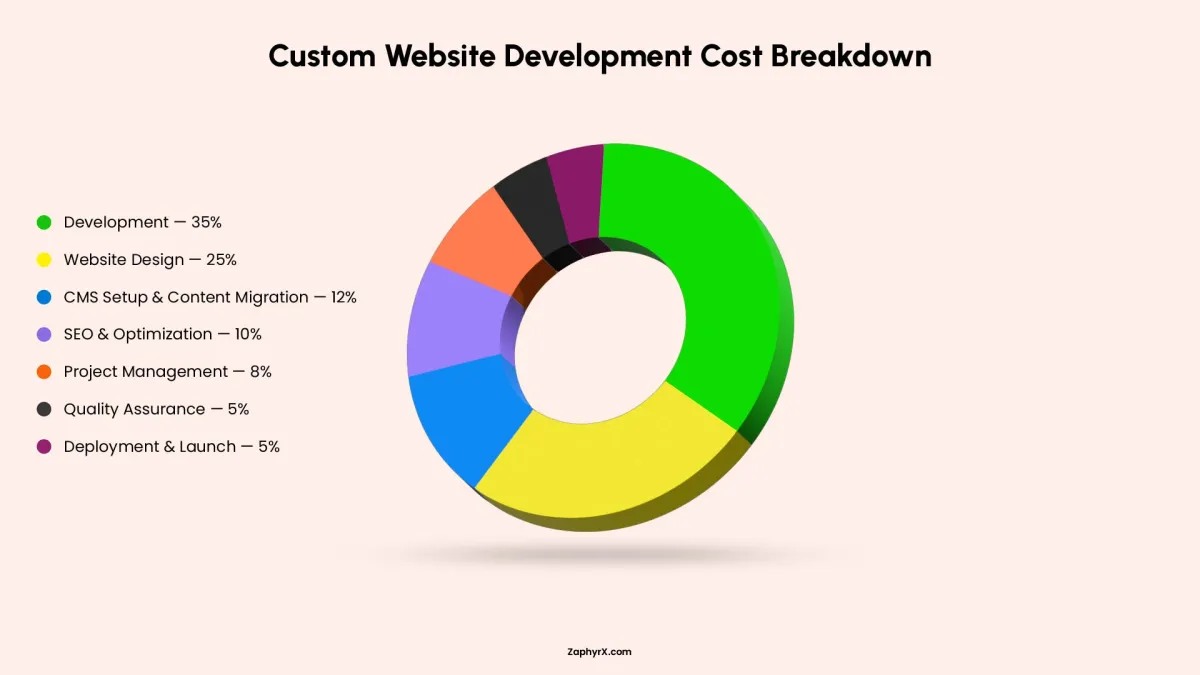
The ongoing costs are different though. You do not need to pay for premium plugins because you are not using any. You also do not have to worry about a plugin update breaking your site. Maintenance is still required but tends to focus on security patches for your specific code and database optimization.
Over three years, a custom site that cost forty thousand dollars to build might only need another five to ten thousand dollars in maintenance.
Flexibility and Control: How Much Freedom Do You Really Get?
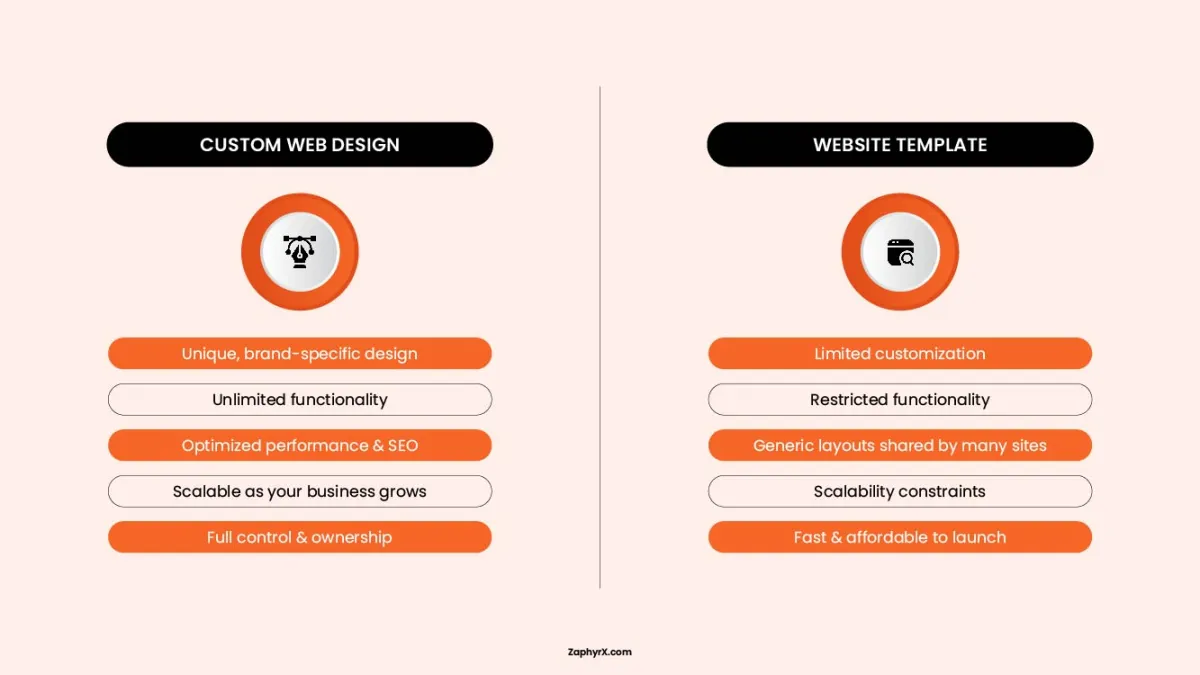
WordPress gives you a lot of freedom out of the box. You can install thousands of plugins to add features like contact forms, appointment booking, membership areas, and online stores. You can also switch themes to change the entire look of your site in a few clicks.
But that freedom has limits. Every plugin adds code to your site. Too many plugins make your site slow and increase the risk of conflicts where two plugins try to do similar things and break each other.
With custom development, you have unlimited freedom. Your developer can build exactly what you imagine. If you need a special calculator tool, a custom dashboard for your team, or an integration with a niche software system, a custom build can handle it.
The trade off is that you cannot add new features yourself. Every change, no matter how small, requires a developer to write and test code.
Content Management Experience
This is where WordPress takes over custom. The editing experience is simple and familiar. Your marketing team can log in, write a blog post, add images, and publish without touching a single line of code. You can schedule posts for the future, save drafts, and see a preview before going live.
Custom built sites can also have great content management, but it costs extra to build that interface. Many businesses skip that to save money and end up with a site where updating content requires editing code directly or using a less user friendly system. If you publish new content every day, WordPress is usually the better fit.
SEO and Performance: Can Both Rank Well?
Yes. Both WordPress and custom websites can rank at the top of Google. The difference is how much work it takes to get there.
WordPress has a massive advantage with plugins like Yoast SEO or Rank Math. These tools guide you through writing meta titles, meta descriptions, and structured data. They also help with technical SEO elements like XML sitemaps and schema markup. A beginner can follow the plugin recommendations and avoid major SEO mistakes.
Custom websites do not have these plugins. Your developer has to build all of that SEO functionality from scratch. That includes generating sitemaps, managing redirects, adding schema markup, and making sure the site structure follows Google’s guidelines. It is completely possible, but it adds time and cost to the project.
Page Speed and Core Web Vitals
Google cares about how fast your site loads and how stable it feels. They measure this using something called Core Web Vitals. A well built custom site has an advantage here because you are not loading any unnecessary code. Every line of JavaScript and CSS serves a specific purpose. There are no bloated plugins adding extra requests.
WordPress can also pass Core Web Vitals with flying colors, but it takes more effort. You need good hosting, a lightweight theme, image optimization, and careful plugin selection. Too many WordPress sites fail the speed test because the owner installed thirty plugins without thinking about performance.
The winner depends on who builds the site. A skilled WordPress developer can create a very fast site. A lazy custom developer can create a slow mess.
Security Considerations
WordPress is a popular target for hackers because so many sites use it. If someone finds a security hole in a popular plugin, they can attack thousands of sites at once. But WordPress also has a massive community that finds and fixes these holes quickly. The key is installing updates as soon as they are released.
Custom websites are less likely to be hit by automated attacks because hackers do not know what technology you are using. However, custom code can have security flaws that no one has found yet. You are relying entirely on your developer’s knowledge of things like SQL injection prevention, cross site scripting protection, and proper authentication.
For most business websites, WordPress with automatic updates, a security plugin, and a web application firewall is secure enough. For financial data, healthcare information, or any site that stores sensitive customer details, a custom build with regular security audits may be worth the extra cost.
Scalability and Future Growth
Scalability means your website can handle more traffic and more features as your business grows. WordPress can scale surprisingly well.
Big brands like TechCrunch, Sony, and even the White House have used WordPress. The trick is setting up proper caching, using a content delivery network, and choosing hosting that can add more servers automatically when traffic spikes.
Custom websites can also scale beautifully because you control exactly how the database queries are written and how the server responds to requests. A well architected custom site built with Node.js or Laravel can handle millions of visitors with the right infrastructure.
The real question is about feature growth.
With WordPress, you often hit a point where you need a feature that no plugin provides. Then you have a problem. Adding custom code to WordPress is possible, but mixing custom code with third party plugins becomes fragile over time. One plugin update might erase your custom work.
With a custom site, adding new features is straightforward because you already have a development team who knows the codebase. You are not fighting against a system. You are extending your own work.
Maintenance and Upkeep
Let me be honest about maintenance because many articles gloss over this part.
WordPress maintenance never ever stops. Someone has to log in every week to check for updates. You need to test that updates did not cause issues. You need to monitor for failed login attempts. You need to check that backups are actually working. I have seen so many business owners ignore these tasks for six months only to find their site hacked or bogged down.
A managed WordPress host can handle some of this for you. But you still need a human to review major updates and fix problems when they happen.
Custom site maintenance is less frequent but more intense. You are not updating every week. You might go months between updates. But when you do update, it is because you found a security vulnerability or you need to add a major new feature. That update requires careful testing and often costs several thousand dollars.
The maintenance personality test is useful here. If you want small predictable tasks every month, choose WordPress. If you want to do nothing for long stretches but then pay for bigger focused work, choose custom
Types of Websites Best Suited for Each Approach
| Business Type | Revenue | Team Size | Recommended Approach | Why |
|---|---|---|---|---|
|
Local service company |
Under $2M |
5 to 20 employees |
WordPress |
Content driven, needs self service editing, standard features |
|
Professional services (law, accounting) |
$1M to $10M |
10 to 50 employees |
WordPress |
Lead generation focus, blog heavy, SEO dependent |
|
E commerce (under 500 products) |
Under $1M online |
2 to 15 employees |
WooCommerce or Shopify |
Standard e commerce needs, budget conscious |
|
E commerce (500 plus products, complex) |
$1M plus online |
15 plus employees |
Custom or headless |
Performance requirements, complex product logic |
|
SaaS startup |
Pre revenue to $5M |
3 to 20 employees |
Custom (marketing site can be WordPress) |
Application needs exceed CMS capabilities |
|
Multi location franchise |
$5M to $50M |
50 plus employees |
Headless WordPress |
Content management at scale plus performance needs |
|
Media or content publisher |
Varies |
5 to 30 employees |
WordPress |
Content management is the core need |
WordPress is usually the right choice for
Blogs and content heavy sites where you publish articles every week. Small business websites for local restaurants, plumbers, attorneys, or dentists. Ecommerce stores that sell fewer than one thousand products and do not need complex inventory systems. Membership sites that use established plugins like MemberPress. Portfolio sites for photographers, designers, or artists.
Custom development is usually the right choice for
Enterprise websites with complex workflows and multiple user roles. Web applications that feel more like software than a traditional website. Marketplaces where users list items, buy and sell, or interact with each other. Custom booking or scheduling systems with unique rules. Any project where you have very specific design or functionality that does not fit into existing plugins.
The Middle Path You Should Know About
Before you decide, know that there is a middle path many people overlook. You can hire wordpress developer to build a custom WordPress theme without using page builders or excessive plugins. This gives you the content management ease of WordPress with cleaner code than a typical off the shelf theme. You still get the plugin ecosystem for things like forms and SEO, but the core design and layout are built specifically for you.
This hybrid approach costs more than buying a pre-made theme but much less than full custom development. For many businesses, this is the sweet spot. You get a unique look and feel without building everything from the ground up. Ask your developer about this option before committing to either extreme.
Mistakes To Avoid When Choosing WordPress vs Custom Development
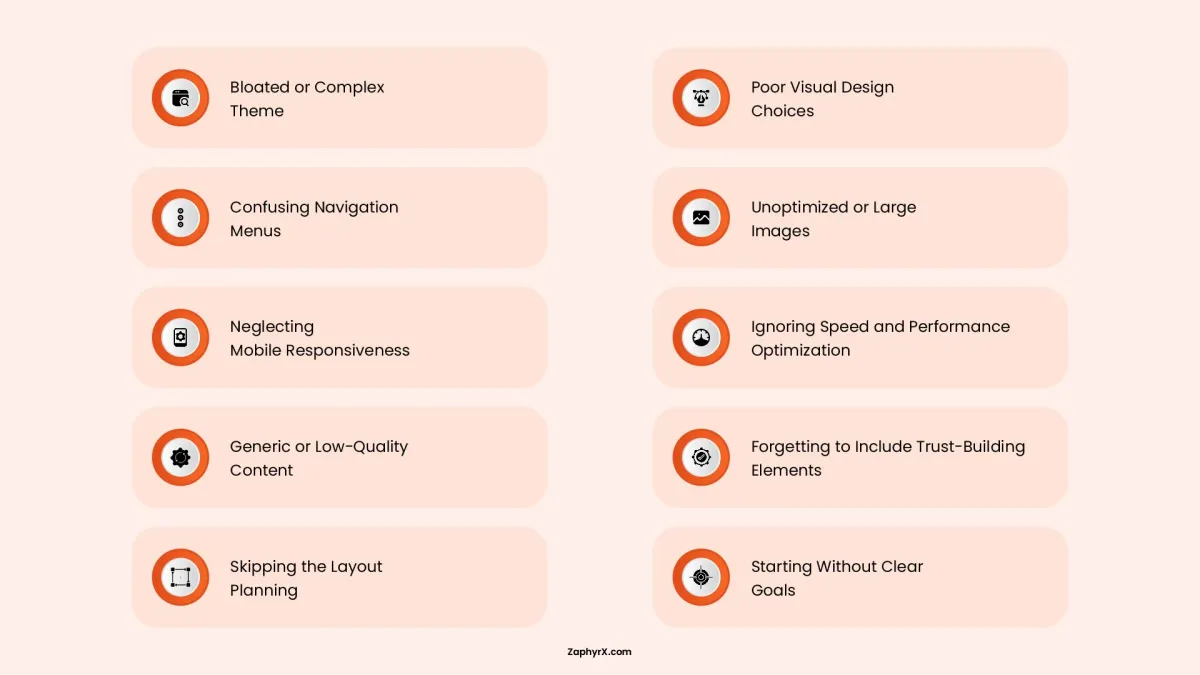
One of the most common mistakes with WordPress is trying to make it do everything. Installing too many plugins might feel convenient at first, but over time it often slows the site down and creates technical issues that are hard to track. Each plugin adds another dependency, and too many of them can turn a simple website into something fragile.
On the other side, some teams choose custom development simply because they want full control, even when there is no real need for it. Control sounds good in theory, but it only becomes useful if there is a clear reason for it and the resources to manage it properly.
Another mistake, regardless of the approach, is ignoring mobile performance. Most users will visit a website from a phone, and search engines now evaluate sites based on their mobile version first. If the experience is not smooth on mobile, it becomes a real problem.
The same applies to structured data and schema markup. Many websites skip it completely, even though it helps search engines understand the content and improves visibility in search results.
Finally, maintenance is often underestimated. A website is not something that is built once and left alone. It needs updates, performance checks, security monitoring, and occasional improvements over time, whether it is WordPress or custom built.
So, WordPress or Custom Website? How to Make the Final Decision
If you are still unsure after reading this far, here is a simple decision process you can follow in five minutes.
Write down three things about your website project.
- First, what is your budget for the next twelve months? If it is under ten thousand dollars, WordPress is almost certainly your answer. If it is over thirty thousand dollars, custom development becomes worth considering.
- Second, who will manage the website after it launches? If you have a non technical marketing person, choose WordPress. If you have a development team on staff, custom code gives them more control.
- Third, do you need a feature that does not exist as a reliable WordPress plugin? Be honest here. Most businesses do not need completely unique features. But if you truly do, custom development might save you from plugin headaches down the road.
One more point that does not fit neatly into a checklist. Consider your timeline. WordPress can launch in two to six weeks. A custom build often takes four to nine months. Sometimes speed matters more than perfection.
The Final Verdict
The WordPress vs custom development debate does not have a universal winner. The best choice depends on your budget, your team, your timeline, and your unique business needs.
I would say, WordPress gives you speed, affordability, and an incredible content management experience. It is the safe choice for most small and medium sized businesses.
Whereas, custom development gives you total control, clean code, and unlimited possibilities. It is the bold choice for businesses with specific requirements and the budget to match.
If you are still unsure which path is right for your business, that is completely normal. Every project is different and there is no shame in asking for a second opinion. Even if you are just starting to explore whether WordPress or custom development makes more sense for your situation, we can help you assess the options without any pressure.
Bring your questions, your rough ideas, or even just a napkin sketch of what you want. We will walk you through the trade offs, and help you make a decision you feel good about. Schedule a consultation with ZAPHYRX today.
Frequently Asked Questions
WordPress is a flexible content management system built on pre-made themes and plugins, allowing fast launches. Custom development builds a website from scratch using code, offering complete control, unique design, and superior performance but requiring more time and budget.
Yes. A professional WordPress site typically costs between three thousand and fifteen thousand dollars upfront. Custom development starts at twenty five thousand dollars and often exceeds one hundred thousand dollars. However, custom solutions can have lower long term maintenance costs for high traffic sites.
Choose custom development when you need complex functionality, a unique user experience, high security, heavy traffic handling exceeding one hundred thousand visitors per day, or specific performance requirements that WordPress plugins cannot efficiently deliver.
Yes. Many large sites use WordPress, including major news outlets and brands. With proper optimization, caching, and hosting, it can handle significant traffic. Very complex projects often shift toward headless WordPress or fully custom solutions.
Both can rank well. WordPress offers faster SEO setup with plugins. Custom sites allow cleaner code and faster loading speeds, which Google favors especially for Core Web Vitals. The best SEO outcome comes from quality content and proper technical implementation on either platform.
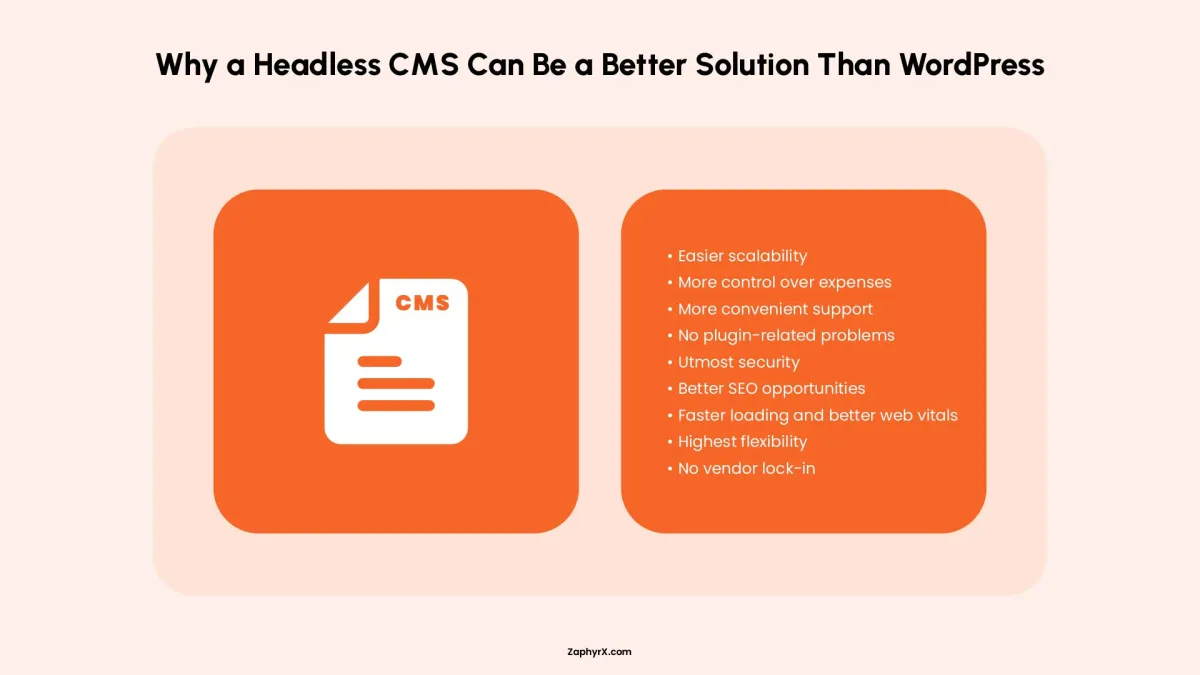
Headless WordPress separates the content management backend from the front end display. You keep the WordPress editor for your team but use a modern JavaScript framework like Next.js to build the user facing site. Consider this if you love WordPress for content but need better performance or more interactive front end capabilities than standard WordPress themes provide.
A professionally built custom website typically costs between forty five thousand and eighty five thousand dollars. Larger enterprise projects with extensive features often exceed one hundred eighty thousand dollars. These figures reflect recent inflation and increased developer rates.
A well optimized WordPress site typically scores between 75 and 95 on mobile PageSpeed. A well optimized custom site scores between 85 and 100. Both are fast enough for good user experience and search ranking when built correctly. The difference is that custom sites are more consistently fast across different page types.
WordPress is not just a good website builder. For most people, it is the best website builder available today. It balances power and simplicity better than any alternative. You can start with a basic five page site and grow that same site into a large online store or a membership platform without rebuilding from scratch.